ESP GuardCam LED Dokumentacja Strona 3

  • Pobierz
  • Dodaj do moich podręczników
  • Drukuj
  • Strona
    / 12
  • Spis treści
  • BOOKMARKI
  • Oceniono. / 5. Na podstawie oceny klientów
Przeglądanie stron 2
Table of contents
Contents of package . . . . . . . . . . . . . . . . . . . . . . . . . . . . . . . . . . . . . . . . . . . . . . . . 3
GuardCam LED Motion Light with Video Camera . . . . . . . . . . . . . . . . . . . . . . . 4
Step 1 - Insert/remove SD Card . . . . . . . . . . . . . . . . . . . . . . . . . . . . . . . . . . . . . . 4
Step 2 - Installing the GuardCam LED . . . . . . . . . . . . . . . . . . . . . . . . . . . . . . . . . 5
Step 3 - Mounting the GuardCam LED . . . . . . . . . . . . . . . . . . . . . . . . . . . . . . . . 6
Step 4 - Adjusting the settings . . . . . . . . . . . . . . . . . . . . . . . . . . . . . . . . . . . . . . 7
Step 5 - Setting the Date and Time and Video Mode . . . . . . . . . . . . . . . . . . . 9
Step 6 - Viewing Video . . . . . . . . . . . . . . . . . . . . . . . . . . . . . . . . . . . . . . . . . . . . 10
Technical Specifications . . . . . . . . . . . . . . . . . . . . . . . . . . . . . . . . . . . . . . . . . . . 11
General Information and Safety . . . . . . . . . . . . . . . . . . . . . . . . . . . . . . . . . . . . . 12
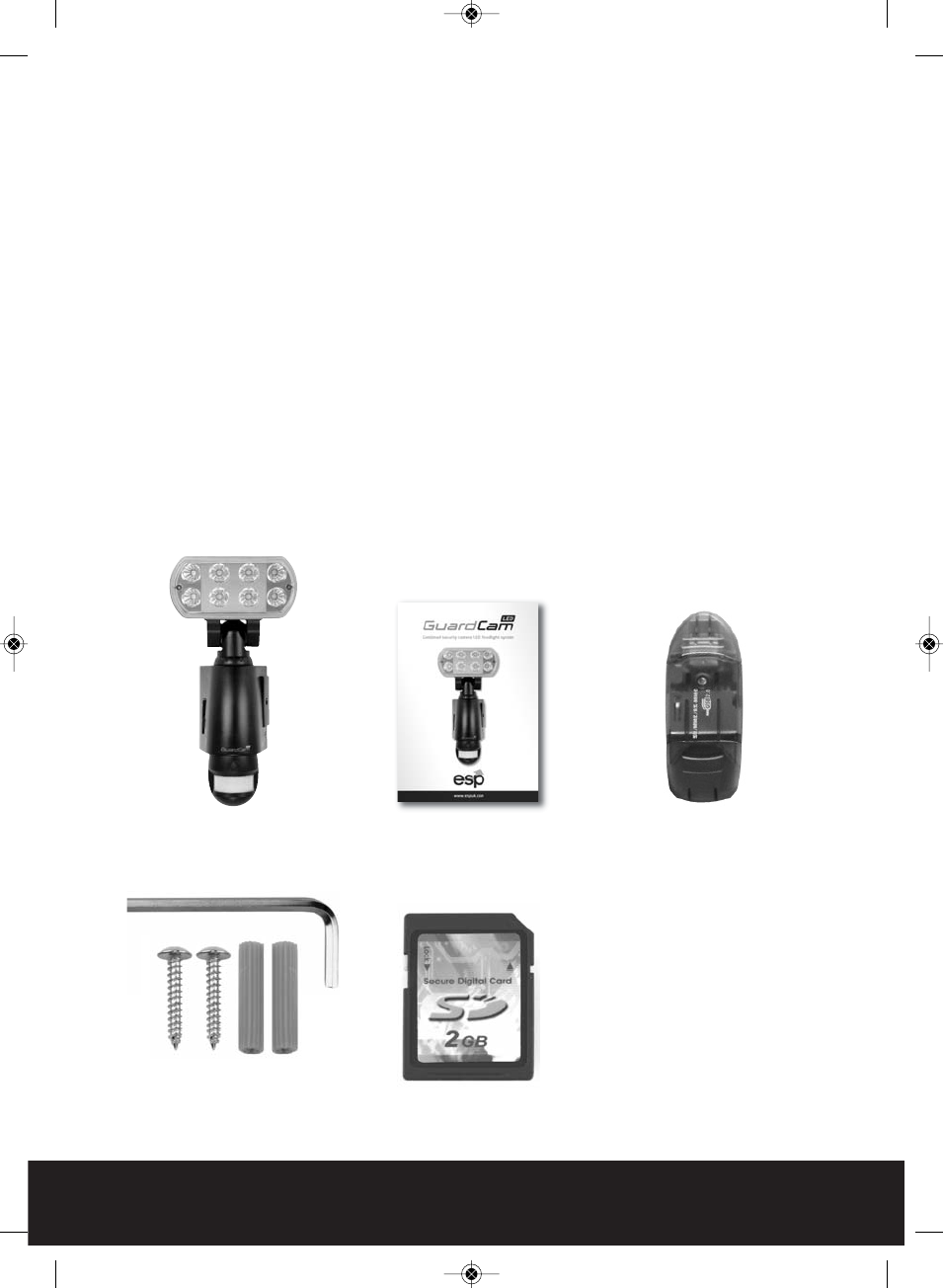
Contents of package
GuardCam LED Motion
Light with Video Camera
1 x Allen key
2 x screws
2 x plastic masonry plugs
SD USB card reader
2G SD card and
3
User Manual
GuardCam LED Manual_Layout 2 11/04/2013 14:02 Page 3
Przeglądanie stron 2
1 2 3 4 5 6 7 8 ... 11 12

Komentarze do niniejszej Instrukcji

Brak uwag